
How to create an account
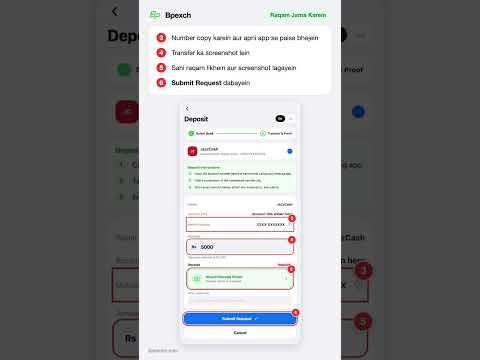 ▶ Watch on YouTube
What you need
- Your full name. Use the same name as on your JazzCash, Easypaisa or bank account, because withdrawals are only paid to an account in your name.
- A WhatsApp number you use.
- A username and a password you will remember.
- An email address (optional).
Step 1: Create your Bpexch account
- Open the sign-up page. Go to bpexchc.com/register, or tap Create Account in the Bpexch app.
- Fill in Your Details. Enter your full name, a username, your WhatsApp number and, if you like, your email.
- Set your password. Type it twice. The strength meter shows when it is strong enough.
- Accept the terms and tap Sign Up. The whole form takes less than a minute.
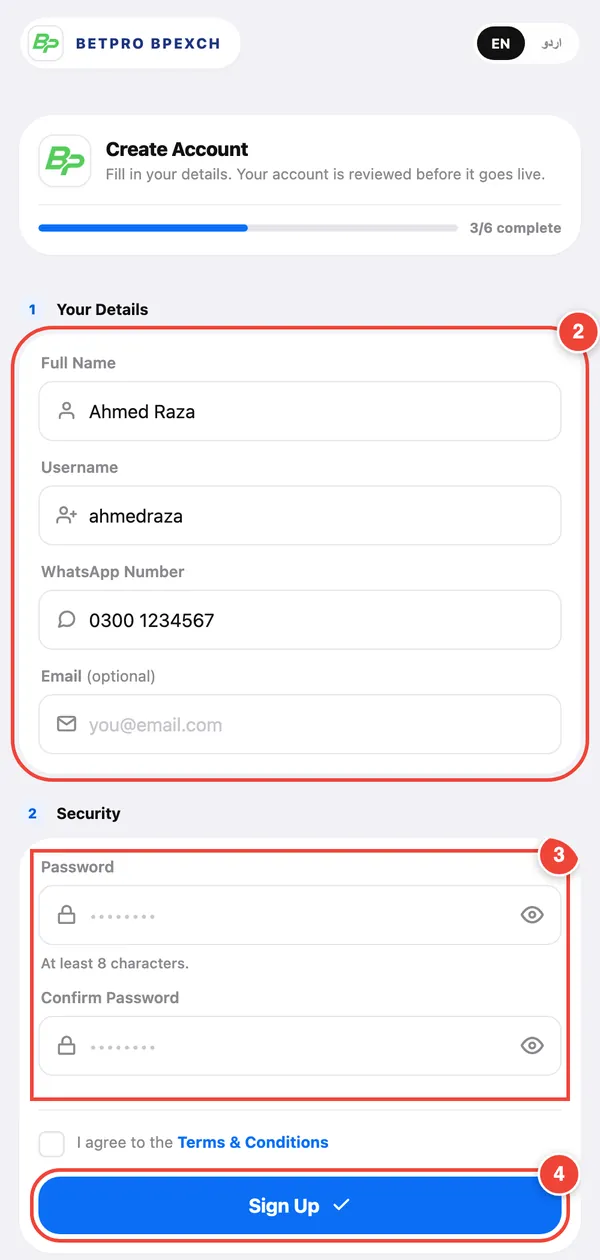
Step 2: Wait for the review
The Bpexch team checks every new account before it goes live. You will see an Under Review screen. It updates on its own, so there is no need to refresh. Most accounts are approved within a few minutes.
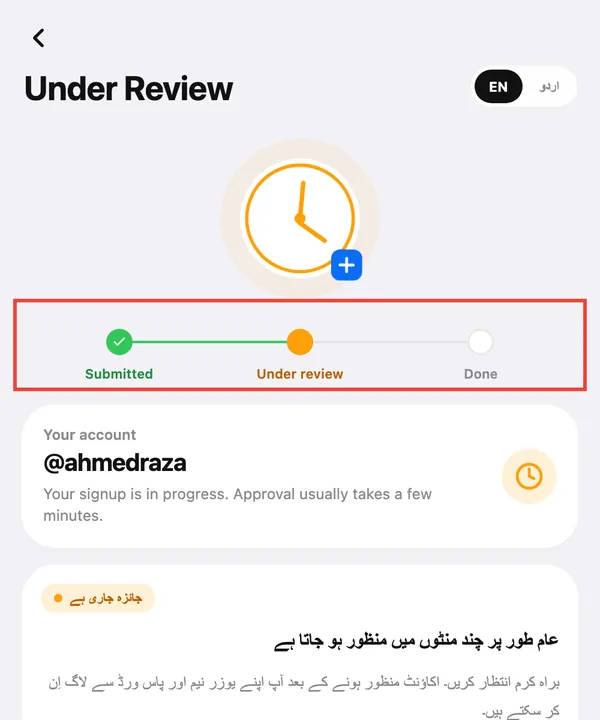
- Approved: tap Go to Login.
- Rejected: the screen shows the reason. Register again with a new username, or ask support on WhatsApp.
Step 3: Find your Betpro ID
- Log in at bpexchc.com/login with your username (or WhatsApp number) and password.
- Look at the Exchange Account card on your home screen. It shows your Betpro ID username and password, with a copy button next to each.
- Tap Login to Exchange to open the exchange, then sign in with those details.
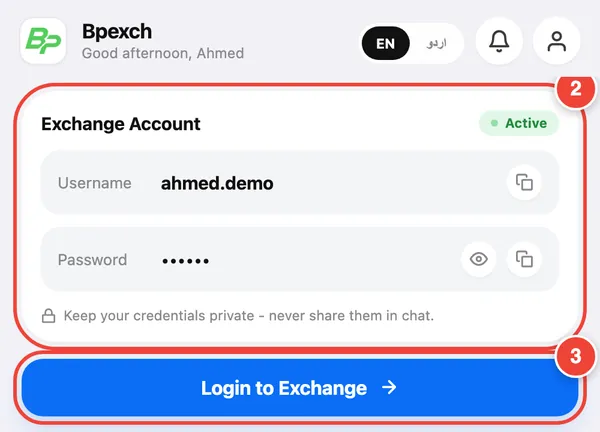
Screenshots show the real Bpexch screens with example data.
Two logins, two jobs. Your Bpexch username and password open this portal, where you deposit and withdraw. Your Betpro ID opens the exchange. They are different. Read the difference.
Keep your Betpro ID safe
- Never share your Betpro ID password in chat, even with someone who says they are from support.
- Only use bpexchc.com or the Bpexch app. Check the address before you log in.
- Change your Bpexch password any time in Profile → Change Password.
More tips in Account safety.
Next: add funds
Once your account is active you can deposit with JazzCash, Easypaisa or bank transfer. Follow the deposit guide.